Where Is Your Data? What the Cloud, Data Centers and AI Mean for Your Business

Indiana is seeing billions of dollars invested in new data centers, driven by continued growth in cloud computing and the enormous computing requirements of AI. Most small business owners will never see the inside of one, but there is a good chance that an increasing amount of their business already lives there.
Email, customer records, accounting systems, files, backups, CRM and ERP systems are increasingly cloud-based. AI adds another layer as employees use it to draft documents, analyze information and answer questions.
All of this makes a fairly basic question increasingly important: where is your business’s data, and what happens if you can’t get to it?
The Cloud Still Lives Somewhere
“The cloud” sounds abstract, but cloud applications run on physical servers in physical data centers. These facilities are designed around reliability, with redundant power, network connectivity, cooling, storage and other systems intended to keep them operating when individual components fail.
Siefer Services’ technical leadership has designed, built and operated data-center environments in the United States and internationally, including high-availability networks, redundant connectivity, enterprise storage, backup and disaster-recovery infrastructure. In environments like these, failure isn’t unexpected. The infrastructure is designed with the assumption that eventually something will fail.
Small businesses don’t need data-center-level infrastructure, but the underlying question is the same: what happens when something does?
What Would Four Hours of Downtime Mean to Your Business?
Our team experienced this directly during the AWS disruption in Northern Virginia in October 2025. A business-critical product we depended on was hosted on AWS and was unavailable to us for approximately four hours. The outage affected customers and disrupted our ability to operate normally.
Another critical product continued operating. It was hosted in a colocation data center and had been designed with physical redundancy within the facility, plus additional redundancy through a secondary data center.
That doesn’t mean colocation is inherently more reliable than AWS. Public-cloud platforms can support extremely resilient architectures across availability zones and geographic regions. But that redundancy has to be designed and paid for. For many smaller businesses, the cost and complexity of full geographic redundancy simply isn’t justified.
Accepting that risk can be a perfectly reasonable business decision. The important part is knowing that you’ve made it.
Putting something in the cloud isn’t the same thing as having a business-continuity strategy. The impact also depends on the business. Losing accounting software for four hours might be inconvenient. Losing an order-management system, production application or dispatch platform could largely stop another company from operating.
Public cloud remains the right answer for many small businesses. But companies with large amounts of data, specialized applications or operations that cannot tolerate extended downtime may want to consider whether on-premises infrastructure, colocation or a hybrid approach makes sense. The right answer depends on what the business needs, how much downtime it can tolerate and what level of redundancy it can economically justify.
What If the Data Is There, But You Can’t Use It?
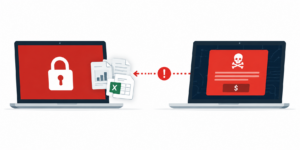
An infrastructure outage isn’t the only way to lose access to information. Ransomware, accidental deletion and data corruption create a different problem.
Redundancy and backup are not the same thing. Redundancy helps keep systems running when infrastructure fails. Backup provides a recoverable copy when the original data is damaged, deleted or encrypted.
That distinction matters with ransomware. If encrypted or corrupted information is automatically replicated elsewhere, a company can end up with multiple copies of unusable data. Synchronization isn’t necessarily backup for the same reason.
On-premises infrastructure remains one option. Colocation is another, allowing a business to place its own infrastructure in a professionally operated data center with appropriate power, cooling, connectivity and physical security. Hybrid environments combine these approaches, keeping some applications in the public cloud while maintaining other computing or data locally or in colocation.
As we discussed in our article on AI-driven hacking and cybersecurity, AI is making some forms of cyberattack easier to automate and scale. A business-continuity plan therefore needs to consider not only whether systems will remain available, but whether clean data can actually be recovered if something goes wrong.
AI Is Creating Another Data Problem

AI introduces a different issue because information can leave a company’s managed environment without anyone thinking of it as an IT decision. An employee may use an AI tool to improve an email, summarize a document, analyze a spreadsheet or draft a proposal. They’re simply trying to work faster. But what are they giving the AI? Customer correspondence? Financial information? Contracts? Pricing? Meeting notes? Employee information? Proprietary company material?
A 2026 survey commissioned by Zapier found that 79% of workers surveyed had entered sensitive company information into AI tools, including employee records, customer information, financial data and even login credentials. The survey covered employees at companies with 500 or more workers that already provided paid AI tools, suggesting that simply making approved technology available doesn’t necessarily resolve the problem.
We recently spoke with a small company that said it wasn’t using AI for its work. During the same conversation, an employee mentioned using an AI assistant to help draft marketing materials. There was nothing inherently wrong with what the employee was doing, but it demonstrated how easily management’s understanding of AI use can differ from what is actually happening.
The more useful question may not be “Are our employees using AI?” but “What are they giving it, and which accounts are they using?”
That becomes particularly important with free or personal AI accounts. Different AI services—and different consumer and business versions of those services—have different policies around data retention, model training and administrative controls. Even if information is never used to train a model, it has still been provided to an outside service for processing.
If an employee uses a personal account, the company may have little visibility into what has been uploaded and little control over the account or its contents. If that employee leaves, conversations, uploaded documents and work based on company information may remain in the employee’s personal account.
This isn’t an argument for banning AI. AI can be enormously useful, and it is increasingly built into software businesses already use. It is an argument for managing it: understanding which tools employees use, providing appropriate company-managed options, and establishing sensible rules about what information can be shared.
As Your Business Grows, Revisit the Question
Small businesses rarely design their entire technology environment at once. They accumulate it: email, cloud storage, accounting software, CRM, remote access, line-of-business applications, backups and now AI.
Each decision may make perfect sense on its own. Over time, however, the business can become completely dependent on an environment nobody has looked at as a whole.
A growing business should periodically be able to answer a few basic questions: Where does our critical data live? Which systems would prevent us from operating if they disappeared for several hours? Could we recover clean data after a ransomware attack? What company information are employees putting into AI tools?
The answer doesn’t have to be more technology. For many businesses, the systems they already have will remain entirely appropriate. What matters is understanding the dependencies and revisiting them as the business changes.
If you’re not sure where your critical data resides, whether your backup and recovery strategy is adequate, or how AI is being used within your business, Siefer Services can help. Our managed IT services help businesses understand their technology environment, identify risks and determine practical solutions based on how they actually operate.
If you’re a small business and not sure what is your current cybersecurity set up, contact us for more information. We serve South Bend, Bremen, Elkhart, Granger, Mishawaka, Plymouth & the entire Michiana region.